



Most “play retro games online” pages hand you the same six names before you’ve even scrolled past the fold — Mario, Sonic, Zelda, Pac-Man, Tetris, Mega Man. They’re classics for a reason, but if you already know you like them, that list doesn’t help you find anything new. The harder, more useful question is different: what do you actually feel like playing right now, and which corner of a few thousand titles fits that mood in under a minute.
That’s the gap this guide fills. Instead of another console-by-console rundown, it’s organized by genre — including a couple of categories most retro sites barely mention, because they’re less nostalgic for the person writing the article than for the person who actually grew up importing Winning Eleven with friends after school.
Start With the Feeling, Not the Console
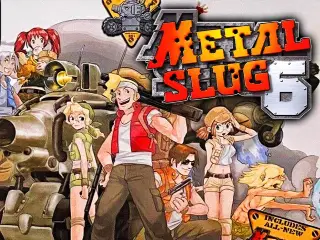
Console generation tells you what a game looks like. Genre tells you what a game feels like to play, and that’s the part that actually determines whether you’ll enjoy the next twenty minutes. A person craving a five-minute high-score chase and a person wanting to sink into a turn-based story are looking for completely different experiences, even if both games happen to be from 1994.
So the sections below sort the library by what you’re in the mood for, not by which cartridge slot a game originally lived in.
Fast and Physical: Platformers, Beat-‘Em-Ups, and Run-and-Gun
This is the genre cluster that made arcades profitable and living rooms loud. The common thread is momentum: precise jumps, punchy combat, and levels short enough to replay immediately after a mistake.
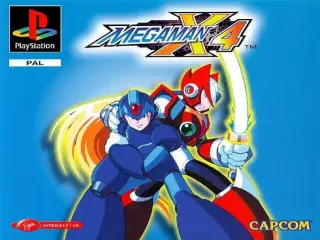
- Platformers reward pattern memory and tight controls — Mega Man X4 sits comfortably alongside the genre’s best for wall-jump precision and boss variety.
- Beat-’em-ups hand you a crowd of enemies and a small moveset, then ask you to make it look effortless. Battletoads earns its reputation here, difficulty spikes and all.
- Run-and-gun shooters trade patience for reflexes, with screens that escalate fast and punish hesitation more than mistakes.
These are the games to open when you have ten minutes and want to feel immediately competent, or immediately challenged, with almost no ramp-up time.
The Genre Most Retro Guides Skip: Sports and Crossover Games
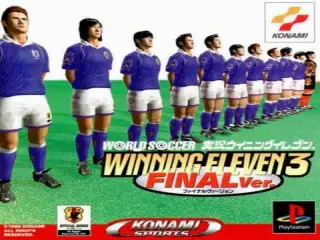
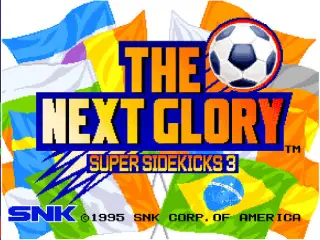
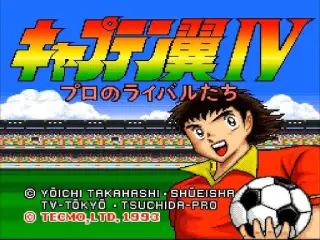
Search “retro games online” and you’ll find plenty of platformer roundups. You’ll find far fewer that mention Winning Eleven 3, Captain Tsubasa 4, or FIFA 98 and 99 — despite these being some of the most-replayed cartridges of their era in living rooms across Latin America, Japan, and Europe.
Sports retro games hold up differently than most genres. The rosters are dated, obviously, but the mechanical core — timing a tackle, threading a through-ball, managing stamina across a match — was often more refined on late-90s hardware than the graphics suggested. Captain Tsubasa 4 in particular blends turn-based strategy with arcade sports in a way that has no real modern equivalent; it’s less a football game than a football-flavored tactics game.
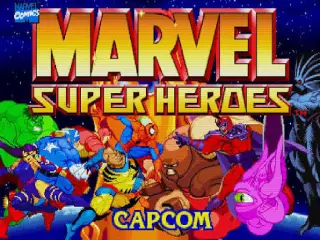
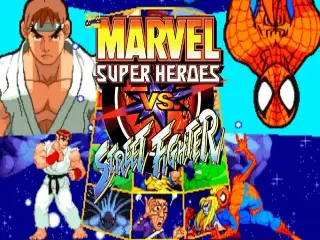
The crossover fighting scene deserves the same spotlight. Marvel Super Heroes vs. Street Fighter and SNK vs. Capcom: SVC Chaos exist because two rival studios agreed to let their rosters collide, which was a genuinely unusual move in an industry that normally guarded its characters closely. If you only know one side of that rivalry, these games are the fastest way to see what the other studio’s cast played like.
Slower Burns: Puzzle, Racing, and Classic RPGs
Not every session needs adrenaline. This cluster covers the games built for a calmer pace, without sacrificing depth.
| Genre | What It Delivers |
|---|---|
| Puzzle | Simple rules, hard mastery — sessions that scale from two minutes to two hours depending on how stubborn you feel |
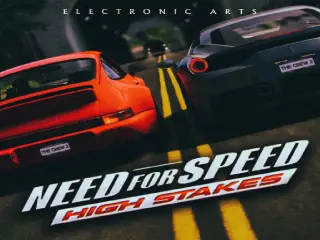
| Racing | Arcade handling over simulation accuracy — Need for Speed: High Stakes leans into spectacle over realism |
| Classic RPGs | Turn-based combat and stories built for patience, often the deepest single-player content in the whole library |
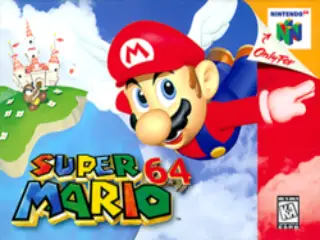
Nintendo 64’s early 3D era also lives here in its own category. Super Mario 64 in particular is worth revisiting even if you’ve played it before — camera control that felt awkward in 1996 reads very differently now that every 3D platformer since has borrowed from the template it set.
Fighting Games: Where Reflexes Meet Muscle Memory
Fighting games age unusually well because their core loop — read the opponent, react, punish — doesn’t depend on graphical fidelity to work. What separates a good fighting game from a great one is frame data and hit feedback, both of which were often nailed on 2D hardware precisely because there was nothing else for the budget to go toward.
The King of Fighters series is a strong entry point if you’re newer to the genre: readable movesets, a roster deep enough to find a character that clicks, and a difficulty curve that rewards repetition without punishing it too harshly. From there, Capcom vs. SNK: Millennium Fight 2000 Pro is the natural next step for anyone curious how two very different fighting-game philosophies handle the same tournament format.
Getting Set Up: What Actually Changes Your Experience
A handful of small choices matter more than most players expect once they’ve picked a genre.
Browser choice is not cosmetic. Current versions of Chrome, Firefox, Edge, and Safari all handle browser-based emulation well, but an outdated browser is the most common cause of stuttering audio or dropped frames — worth ruling out before assuming a game itself runs poorly.
Remap before you give up on a game. Default keyboard layouts rarely match how a fighting game or platformer wants to be played. A minute spent remapping controls to keys that sit naturally under your fingers changes the experience more than switching games does.
Save states turn punishing games into fair ones. Beat-’em-ups and run-and-gun titles were often tuned around arcade cabinets designed to take your coins. A save state before a hard section restores something closer to the balance those games would have had with unlimited continues.
Landscape mode on mobile, always. Touch controls exist for a reason, and they work notably better in fullscreen landscape than in the default portrait view most phones open a browser tab in.
Is It Safe?
Browser-based retro gaming is safer than the alternative most people picture when they hear “emulator” — downloading and running an executable from an unfamiliar source. Because everything runs through the browser itself, there’s no installer asking for system permissions and no file sitting on your hard drive afterward. The practical rule of thumb: if a site ever asks you to download and run a program just to play a game, that’s a different category of risk than clicking play on a page.
Start Playing
Pick the cluster that matches your mood tonight rather than defaulting to the same handful of familiar titles. If reflexes are what you’re after, start with a platformer or a fighting game. If you want something to actually think through, a classic RPG or Captain Tsubasa’s strategy-sports hybrid will hold your attention longer than you’d expect from a cartridge this old.
Websites in our network: mortgage usa calculator – loan mortgage calculator – calculator car – calculator homes – us loan car calculator